Want to run a free challenge to launch your course but you’re not sure where to start? This is it! I’m going to guide you, step by step, to create your free challenge to grow and nurture your email list before you launch your course.
When I ran my first free challenge, circa 2017, I didn’t expect much from it. At the time, it was just a lead magnet.
Boy, was I wrong! That challenge added over 800 new subscribers to my list, without paid ads, in the first year it was live.
Reaching my first 1,000 subscribers felt surreal but incredible. That challenge is still bringing in new subscribers to my art business despite me not actively working on it anymore.
✦ A thank you page with a warm welcome and more details
✦ 3-5 videos and/or emails with the step by step instructions
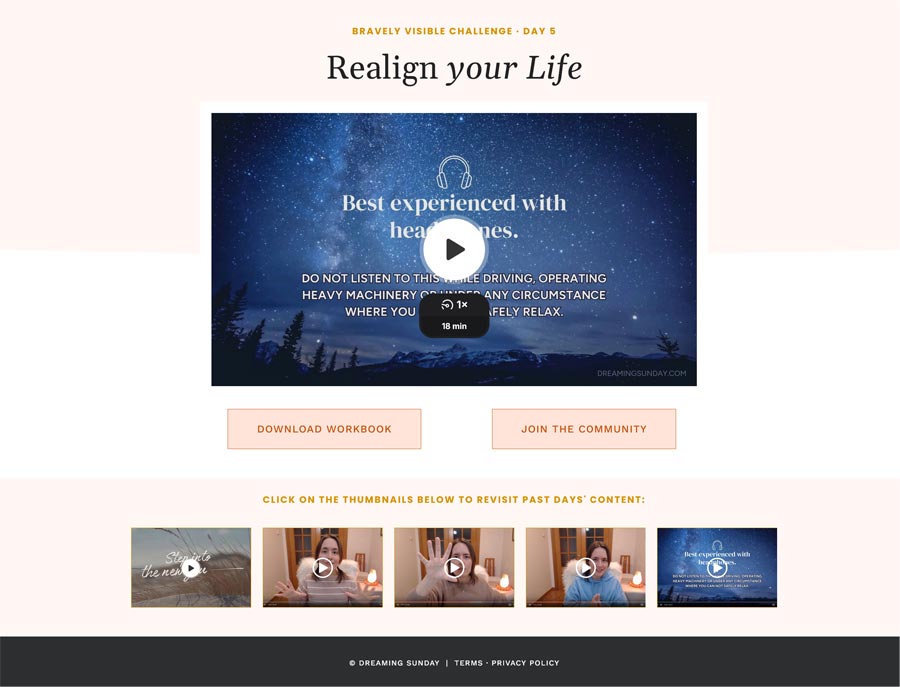
✦ A page for each day of the challenge that hosts the content (skip if using email only)
✦ A few emails to invite, nurture and welcome participants
Nice to haves, but not required:
✦ A workbook to go along with it
✦ A Facebook community for people to engage and share their results
FREE LAUNCH PLAN
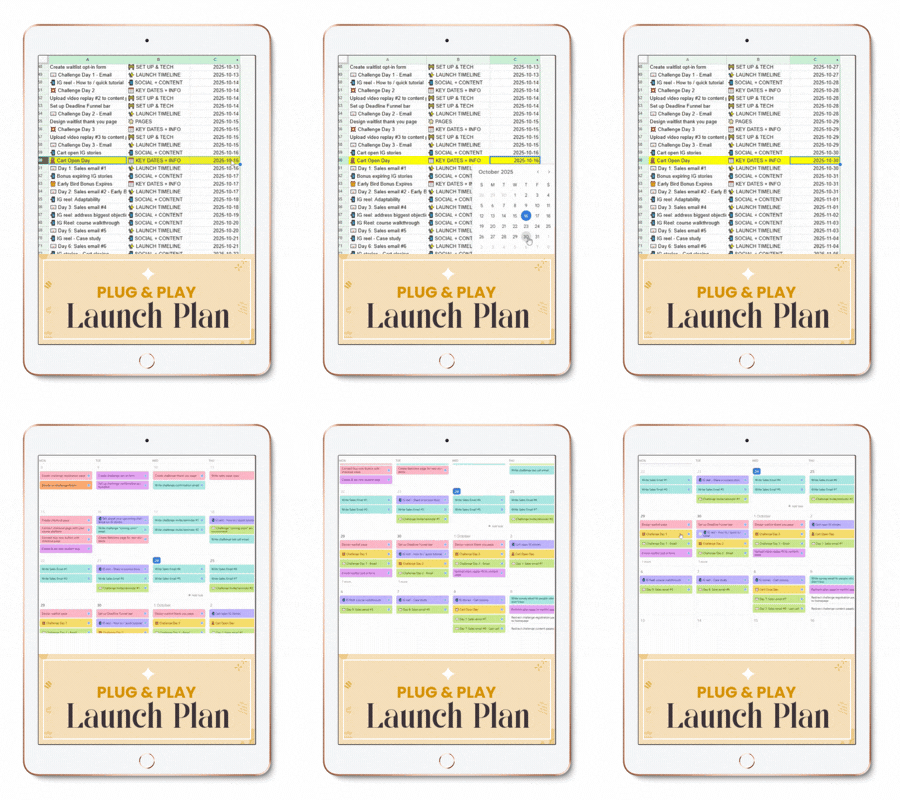
Overwhelmed by everything that goes into launching your course? Not sure where to start? Download my FREE Launch Plan and never wonder what to do and when during your launch.
What will they achieve by the end of the challenge?When is it happening? Ie. May 24-28
How is it delivered? A video a day? An email with instructions?
Why join this challenge now?
How will you make sure they follow-through and get the result?
Make sure the opt-in form is above the fold (aka, before they have to scroll down!)
2) Create an opt-in form to collect subscribers
*Only* ask for name and email!
Make the sign up button a color that stands out on the page
Set it to redirect to the thank you page when someone signs up
Set it to tag people who sign up as challenge participants
3) Set up a thank you page
Congratulate them for signing up! It’s a big step! 🎉
Tell them to wait 5-10 minutes for your email with more details
Remind them when the challenge is happening
Have a CTA button to join the Facebook community if you’re using one
4) Set up a "Welcome to the challenge!" email confirmation
Congratulate them again for joining and remind them what they’ll achieve by the end of the challenge
Remind them of the dates and when they can expect Day 1 to drop
Ask them a question or give them a quick pre-challenge task to complete to start building momentum
Link to the Facebook community if you have one
5) Create the content (one video or email per day of the challenge)
Remember that they should be able to achieve the goal within 3-5 days so don’t pack too much or too little into the content!
If you’re using video, record and edit the content of each day of the challenge (if you can keep the videos under 15 minutes, more people will complete them and take action!).
If you’re using email, write the step by step instructions in a separate email per day of the challenge
Encourage people to join the group to share their progress and get support
6) Set up the content pages (or schedule the content emails)
Create a new page in your website for each day of the challenge and upload the video
Add a button below the videos to send people to the group to get support and share their progress
Optional: have a comments section for people to engage directly on the page if you don’t have a group.
7) Send the challenge emails to participants and engage with them!
Each day of the challenge, write an email sharing about the topic of the day, what they’ll get from it and a link to the page with the video.
Go into the group or the comment section and engage with people as they watch and work through the daily tasks of the challenge
Answer questions and encourage them to keep going! 🙂
Congrats, you ran your first challenge for your course launch!
Bonus perk? You can re-run the same challenge everytime you launch your course. You have all the assets ready, so next time you run it again, it’ll be 10x easier!
Want to see the workflow in action and what the pages of my challenge look like? Take a look here. It’s just 5 minutes but it’ll give you a great visual of how everything works together!
About Lucia Garcia
I'm a biologist turned illustrator turned marketing & mindset coach. I've spent the last 5+ years coaching entrepreneurs and course creators to help them reach more people and grow their business. I'm also working fulltime as Marketing & Operations Manager at a million-dollar company in the filmmaking industry. If you want to let go of your limiting beliefs and learn how to create and launch a course step by step, you're in the right place, friend!